What Is Packaging Design? How to Design Packaging That Sells on the Shelf
Packaging design combines structure, graphics and label information to sell on the shelf. See the 6-step process from brief and dieline to a printed proof.
What Is Packaging Design?
Why Packaging Sells: The Shelf Test
The 4 C's, 5 P's and 3 C's of Packaging
How to Design Packaging Step by Step
Label Design: What Has to Be on the Package
Can You Design Your Own Packaging?
Who Does Packaging Design?
Packaging Design Mistakes That Cost Sales
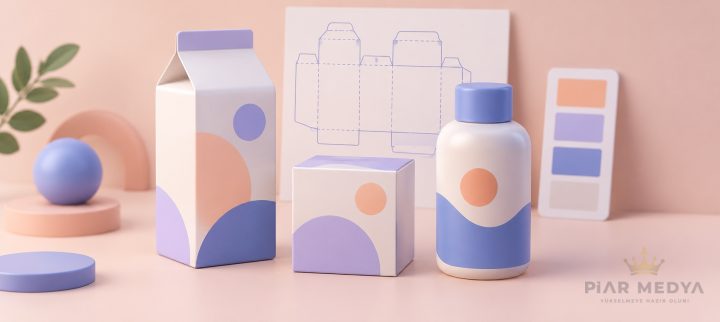
Packaging design is the process of shaping a product's container and surface so it protects the contents, communicates the brand and sells on the shelf. The work has three layers: structure (box, bottle, pouch), graphics (logo, color, typography) and label information (ingredients, quantities, legal marks). It ends with a print-ready dieline, the flat vector template a printing house cuts and folds into the finished package.
A shopper standing in front of a shelf compares your product with a dozen rivals in a few seconds, and on marketplaces the shelf shrinks to a thumbnail. In the packaging projects our design team handles, the brief is rarely about decoration; it is about winning that glance for food producers, cosmetics startups and private-label sellers whose sales depend on it. The sections below walk through the full process, from the shelf test to the file your printer actually needs.
What Is Packaging Design?
Packaging design is the branch of graphic design that plans how a product is contained, presented and explained at the point of sale. It differs from other design work in one way: the result is a physical object with a legal side. A poster that misleads costs you attention; a package that misleads can cost you a recall.
Label design is the narrower job inside it, covering only the printed surface applied to a container. When a brand asks for packaging, the scope question comes first, because a jar label and a full retail box are different projects with different budgets and timelines.
Why Packaging Sells: The Shelf Test
On a supermarket shelf, a package works before any advertising does: it signals the category, the brand and the promise while the shopper is still walking. Retail practice calls it the shelf test. Print the design, place it next to real competitors at real distance, and check three things: can you tell what it is, who makes it and why it is different without picking it up?
Color does most of the early work in that test. Category codes are strong; milk expects blue and white, coffee expects warm browns, and breaking a code is a decision, not an accident. We covered how those signals behave in our guide to color psychology in design; on packaging they get seconds instead of minutes to act.
E-commerce moved the same test online. On Amazon or Etsy your package is a thumbnail fighting a search results page, and the unboxing moment has become part of the product itself. Designs that only work at arm's length fail twice there.
The 4 C's, 5 P's and 3 C's of Packaging
The letter frameworks that dominate search results are memory aids, not industry standards, and sources expand the letters differently. The common core is stable: a package must be clear, consistent with the brand, creative enough to stand out, compliant with the law and practical to use. The most cited expansions look like this:
| Framework | Most common expansion | Best used for |
|---|---|---|
| 3 C's | Clarity, consistency, creativity | A fast design review of a single package |
| 4 C's | Clarity, coherence, creativity, compliance | Adding the legal check before print |
| 5 P's | Protection, preservation, presentation, promotion, practicality | Judging the whole package, not just the graphics |
Use the 5 P's when you brief a designer, because they force the physical questions early: how the product survives shipping, how it stays fresh, how it stacks in a carton. Graphics that ignore those answers get redesigned after the first damaged batch.
How to Design Packaging Step by Step
A packaging project moves from research to print in six steps, and skipping one is where most reprints are born.
- Brief and shelf research: Define the product, the price segment and the sales channel, then photograph the actual shelf or search results page you will compete on. The competitors' codes decide whether you blend in or break out.
- Structure and dieline: Choose the format (box, pouch, bottle, sleeve) and get the dieline from the printer before design starts. Designing on a guessed template is the single most expensive mistake in the process.
- Visual hierarchy: Decide the reading order on the front panel: brand, product name, variant, key claim. The rules come from your corporate identity manual, and the logo earns its shelf position here, not on a screen.
- Label content: Place the mandatory information for your market and category: lists, quantities, codes, barcode. Legal text is a layout element, not an afterthought squeezed into leftover space.
- Print preparation: Convert colors to CMYK or Pantone, add bleed on every cut edge, outline the fonts and deliver the artwork on the dieline layer the printer supplied.
- Proof and shelf test: Order a printed prototype, put it on a real shelf next to rivals and only then approve the run. Screens lie about size, color and finish.
Label Design: What Has to Be on the Package
A product label carries the information both a buyer and an inspector look for. The exact list changes by country and category, and food, cosmetics and chemicals each answer to their own regulations; the recurring core across markets covers:
- Product identity: name, variant and net quantity
- Contents: ingredient and allergen lists where the category requires them
- Traceability: producer contact details, batch and date codes, country of origin
- Commerce and disposal: barcode, recycling and material marks
Type decides whether that information survives. Label text runs small, on curved or textured surfaces, under store lighting; as our guide to typography choices shows, a face that reads well on a monitor can fall apart in print. Wikipedia's overview of packaging and labeling maps how wide the regulatory territory gets; the safe route is confirming the rules of the market you sell in before final artwork.
Can You Design Your Own Packaging?
Yes, within limits: simple labels, stickers, sleeves and standard boxes in small print runs are realistic DIY territory with Canva or a printer's own template editor. Start from the printer's dieline, keep the mandatory information from the list above, and order a single printed proof before any volume. Where DIY breaks is predictable: custom structures, Pantone color matching, barcodes that fail scanner contrast tests and category regulations you did not know applied.
| Situation | DIY with templates | Professional design |
|---|---|---|
| Sticker or simple label, small run | Workable | Rarely worth the fee |
| Retail box against shelf competition | Risky | Recommended |
| Regulated category (food, cosmetics) | Compliance risk is yours | Checked as part of the job |
| Custom structure or material | Not realistic | Needs designer plus printer |
On software: Adobe Illustrator remains the standard because dielines and print files are vector work; Photoshop handles the photographic layers, and mockup tools preview the flat file in 3D. Canva sits at the entry level: fine for a farmers-market jam label, thin for a national retail launch.
Who Does Packaging Design?
In practice the work is shared by three parties: a graphic designer or agency owns the visual system and the print-ready files, the printing house owns materials, die cutting and finishing, and on complex structures a packaging engineer shapes the physical form first. Coordinating them has a real cost, which is why brands prefer a graphic design agency that keeps logo, identity and packaging in one visual language and delivers files the printer accepts without a rework loop.
Our design team works remotely from Turkey; for clients across Europe and the Gulf, the UTC+3 workday overlap means feedback sent in the morning comes back as a revised dieline the same day. Distance stopped being a constraint for packaging work once printed proofs started shipping by courier.
Packaging Design Mistakes That Cost Sales
The failures we meet most often in redesign projects are not artistic; they are process mistakes made months earlier.
- Designing before the dieline: artwork built on guessed dimensions, reflowed in panic when the real template arrives.
- Approving on screen only: RGB glow that turns muddy in CMYK, tiny text unreadable on a curved jar.
- Front panel overload: six claims fighting for the same glance, so none of them lands.
- Breaking category codes without a plan: standing out is good; being unrecognizable as coffee is not.
- Legal text as an afterthought: mandatory information squeezed into corners, failing inspection after the print run is paid.
A reprint costs the run itself plus the launch delay, and marketplaces suspend listings over wrong label claims; on regulated products a wrong ingredient list is not a design flaw, it is a recall. Budget for one printed proof round; it is the cheapest insurance in the whole project.
If a redesign is on your table, the fastest start is a shelf review of your current package against its three closest rivals. We run that as the first step of every packaging project; request a project quote with your product photos to see what the shelf already says about you.